Friday’s post covered how we fund this work without the bait-and-switch; today is the engineering side of the same week, with two new visual editors.
PR #5272 adds two components: RichTextArea, a WYSIWYG rich text editor, and CodeEditor, an IDE-style code editor with syntax highlighting. They are different on the surface and identical underneath, which is the part worth explaining first.
One abstraction, two backends
Both editors extend AbstractEditorComponent. That base class does not draw anything itself. It speaks a small semantic channel of commands (“apply bold”, “set language to java”), queries (“give me the current HTML”) and events (“the text changed”) to whatever backend is attached. The component never assumes how the editor is rendered, only what it can ask for and what it gets told back.
There are two backends behind that channel, and they are interchangeable.
The first is a cross-platform engine built on BrowserComponent. The editor’s HTML and JavaScript ship inside the core jar, so there is nothing to download at runtime. It renders through whatever web view the platform already provides: WKWebView on iOS, WebView on Android, CEF on the desktop simulator, and an iframe on the web target. Going through a real web view means the editor gets correct virtual-keyboard behavior and physical-keyboard handling for free, instead of us re-implementing text input per platform.
The second backend is optional and supplied by a port. A platform implementation can return a native editor peer through CodenameOneImplementation#createNativeEditorPeer, then handle editorPeerCommand and editorPeerQuery. The same semantic channel drives it, so the component code does not change. CodeEditor#setEngineURL(...) is the application-level version of the same idea: point the editor at a richer engine, such as a full Monaco or CodeMirror build you host yourself.
(command / query / event channel)"] B --> C["Cross-platform engine
BrowserComponent + bundled HTML/JS"] B --> D["Optional native peer
createNativeEditorPeer /
editorPeerCommand / editorPeerQuery"] C --> E["WKWebView (iOS)
WebView (Android)
CEF (desktop)
iframe (web)"]
CodeEditor
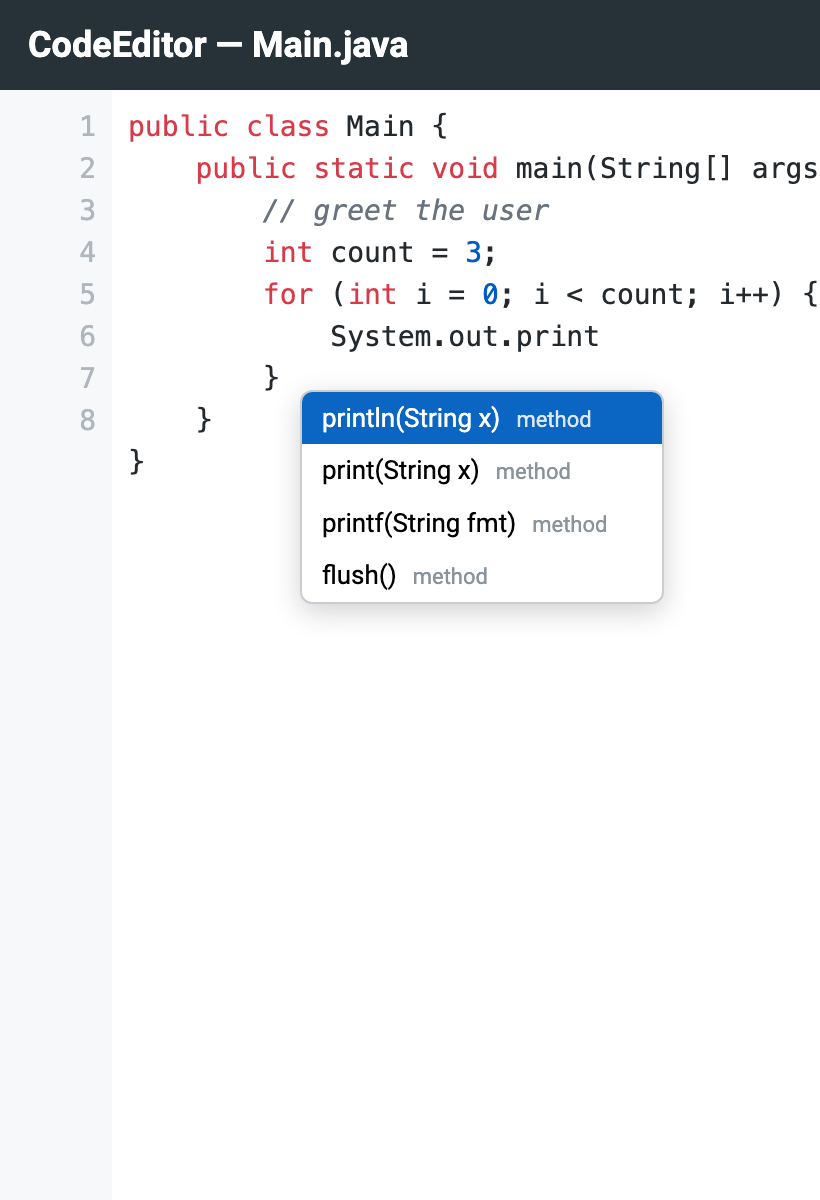
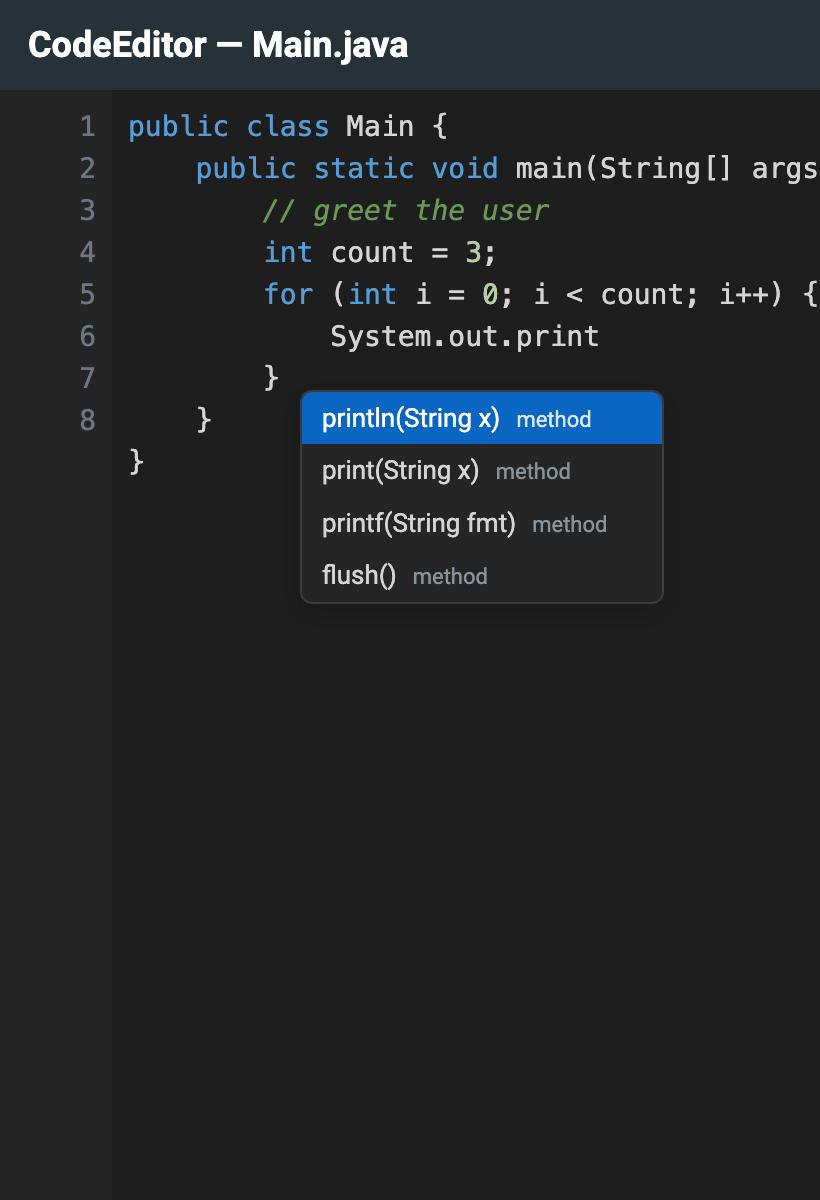
CodeEditor highlights eight languages: java, kotlin, js, python, css, xml, json, and c. It draws a line-number gutter, ships light and dark themes, and auto-closes brackets and quotes as you type.
CodeEditor editor = new CodeEditor();
editor.setLanguage("java");
editor.setTheme("dark");
editor.setText("public class Main {\n\n}");

Form f = new Form("Editor", new BorderLayout());
f.add(BorderLayout.CENTER, editor);
f.show();
Code completion is asynchronous, which matters because a real completion source may have to look something up. You register a CodeCompletionProvider, and it hands results back through a callback rather than returning them inline, so the editor never blocks while you compute suggestions:
editor.setCompletionProvider((ed, code, cursorPosition, results) -> {
    // Inspect code up to cursorPosition, build suggestions, then deliver.
    List<CodeCompletion> out = new ArrayList<>();
    out.add(new CodeCompletion("println", "println(String x)"));
    out.add(new CodeCompletion("print", "print(String x)"));
    // Hand them back when ready, on or off the EDT (onSucess is CN1's spelling).
    results.onSucess(out);
});
Diagnostics work the same way. You push CodeDiagnostic entries at the editor and it renders them as squiggly underlines, gutter markers, and tooltips on hover:
editor.setDiagnostics(Arrays.asList(
    new CodeDiagnostic(3, 5, 3, 12, "cannot find symbol: prinln")
        .setSeverity(CodeDiagnostic.ERROR)
));
Here is the editor with Java highlighting, the gutter, and the completion popup offering println and print:
The dark theme is a one-line switch, not a separate component:
RichTextArea
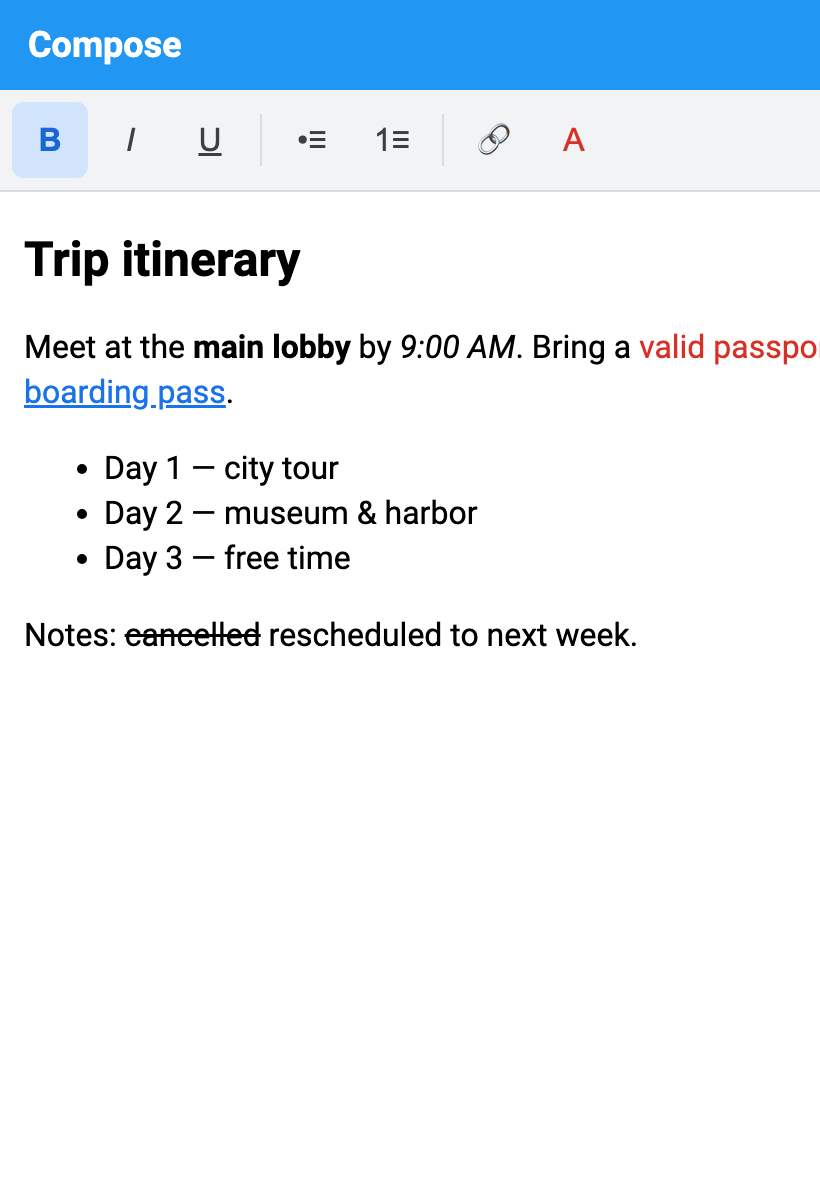
RichTextArea is the WYSIWYG side. It edits formatted text and gives you HTML in and out. You get bold, italic and underline, ordered and unordered lists, links, foreground and highlight colors, and headings. It fires change events as the user edits, and it shows a placeholder when empty.
The content model is HTML, so you load and save with two calls:
RichTextArea rich = new RichTextArea();
rich.setPlaceholder("Trip notes...");
rich.setHtml("<p>Itinerary: <b>Day 1</b> arrive, see "
    + "<a href=\"https://example.com\">the museum</a></p>");

rich.addChangeListener(e -> rich.getHtml(html -> {
    // getHtml is async; the markup arrives in the callback.
    Storage.getInstance().writeObject("note", html);
}));
The toolbar drives the same command channel described earlier; pressing the bold button sends an “apply bold” command to the backend rather than editing a string directly:
You only pay for it if you use it
CodeEditor can be backed by a heavier engine, and CodeMirror assets are not free weight to carry around. So the Android and iOS builders scan your app for use of com.codename1.ui.CodeEditor. The optional CodeMirror assets are bundled only when that API actually appears, gated by CN1_USE_CODEMIRROR. An app that never touches CodeEditor ships nothing extra.
The Playground already uses CodeEditor for its editor pane, so it is dogfooded rather than demo-ware. There are 33 deterministic unit tests across RichTextAreaTest and CodeEditorTest, backed by an editor SPI in the test implementation so they run without a real web view, plus new developer-guide sections with screenshots.
The tradeoff
The default engine is web-view-backed. That is what makes it portable, and it is also the limit: it needs a web view to exist on the platform. iOS, Android, the desktop and the web all have one, so all four are covered. Apple Watch and tvOS do not have a usable web view, so the editors are not enabled there. If a port supplies a native editor peer, that constraint goes away for that port, which is exactly why the second backend exists.
Wrapping up
Two editors, one abstraction. The shared AbstractEditorComponent is the reason a WYSIWYG HTML editor and a syntax-highlighting code editor could land in the same PR: the hard part was the command/query/event channel and the cross-platform engine behind it, and both components reuse it. The web-view engine gives you something that works everywhere a web view exists, and the native peer hook gives a port room to do better when it can. Try CodeEditor and RichTextArea in the next build and tell us where they fall short.
Discussion
Join the conversation via GitHub Discussions.